Private Windows Workspace
Use the desktop app for personal claims, ratings, VA letters, local planning notes, generated statements, and export packets that should not live in a public website.
 VA Companion
VA Companion Desktop 1.01.15
A practical first-run guide for installing, registering, capturing read-only VA.gov snapshots, organizing local records, preparing packets, and keeping the app updated.

Before you start
VA Companion is independent software by James Brown. It is not affiliated with or endorsed by VA and does not provide legal, medical, or financial advice.
Use the desktop app for personal claims, ratings, VA letters, local planning notes, generated statements, and export packets that should not live in a public website.
After you sign in through the official VA.gov flow, the app can capture allowed claim, rating, appointment, letter, prescription, and record-status snapshots for review.
Documents and app data stay on the Windows computer. The web account does not receive VA.gov credentials, MFA codes, cookies, claim snapshots, documents, or vault contents.
Website registration is free. Desktop licensing is no charge for registered VACompanion.us members and normally supports two active personal computers.
Screen captures
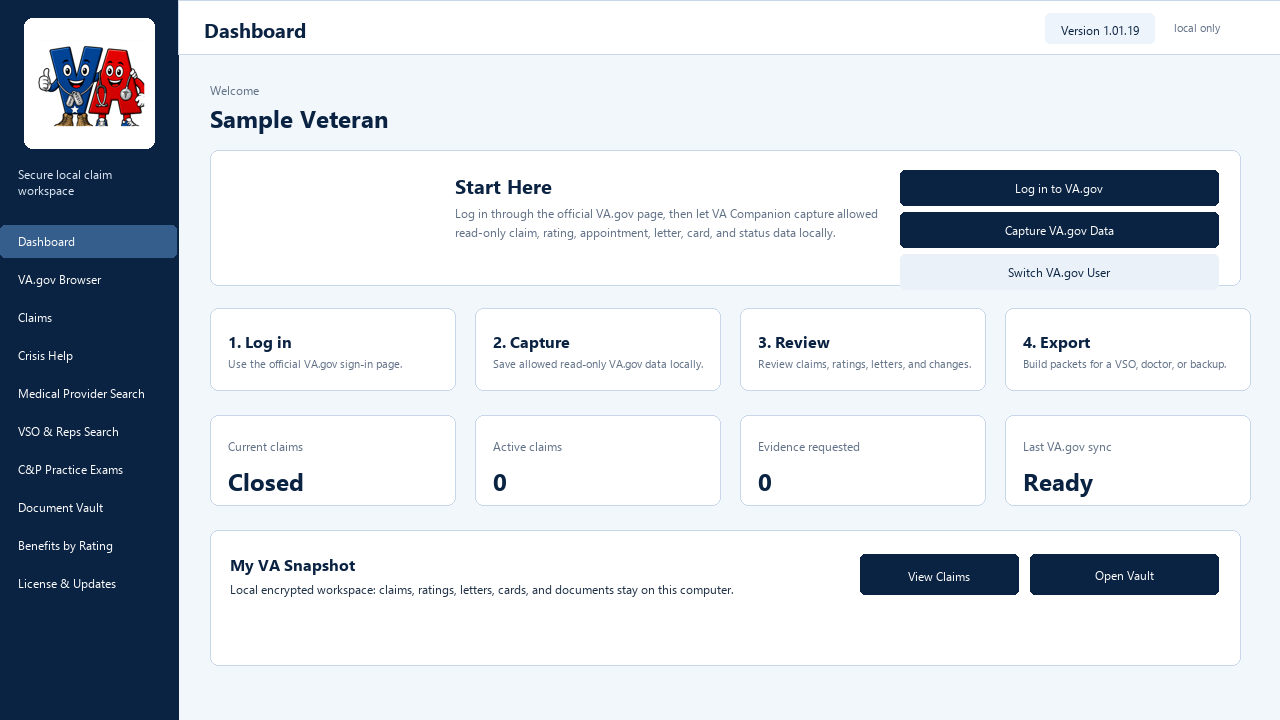
Start Here flow, snapshot cards, claim counts, capture review, and quick actions.
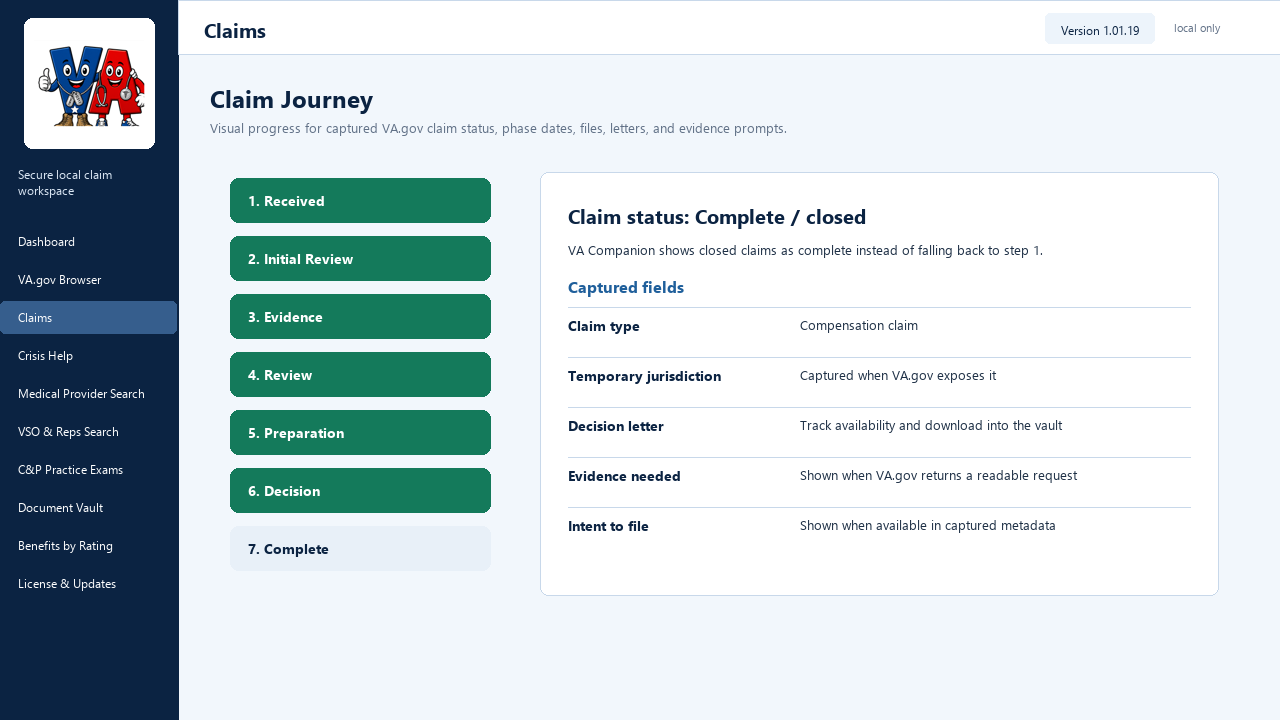
Visual stage tracking, readable claim status details, evidence prompts, and privacy-safe local snapshots.
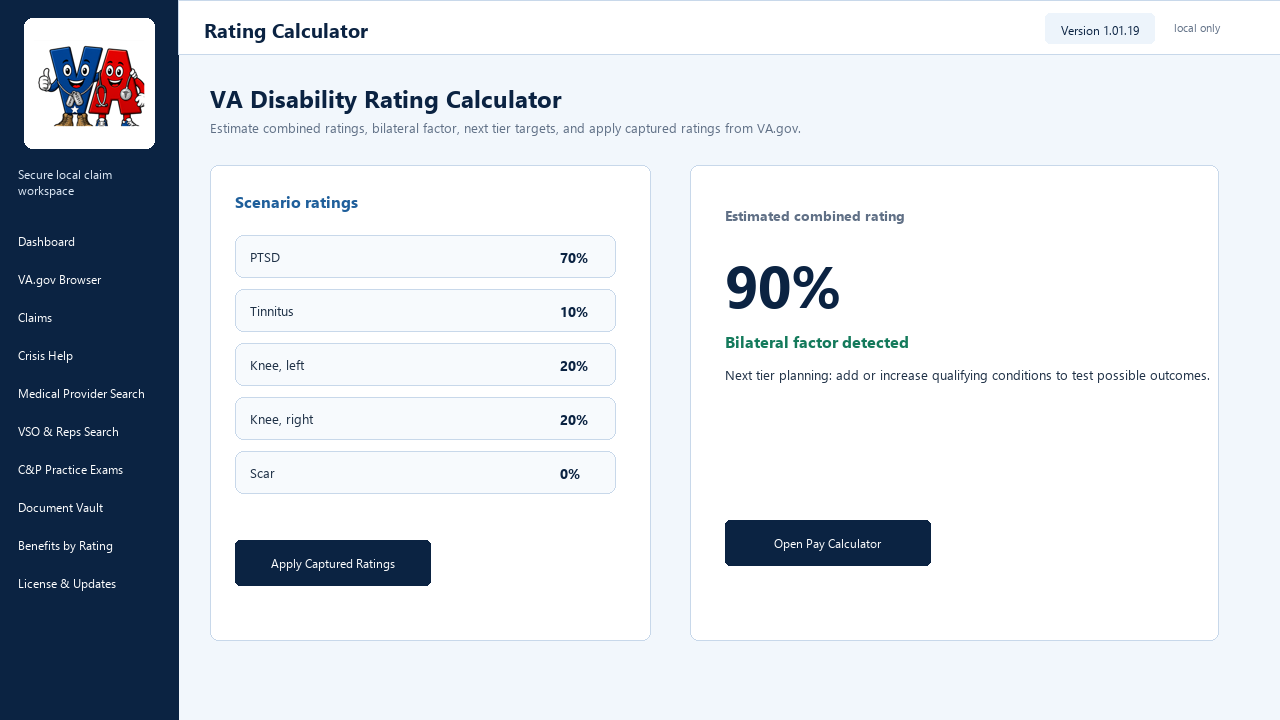
VA math, bilateral-factor detection, scenario rows, and next-tier planning.
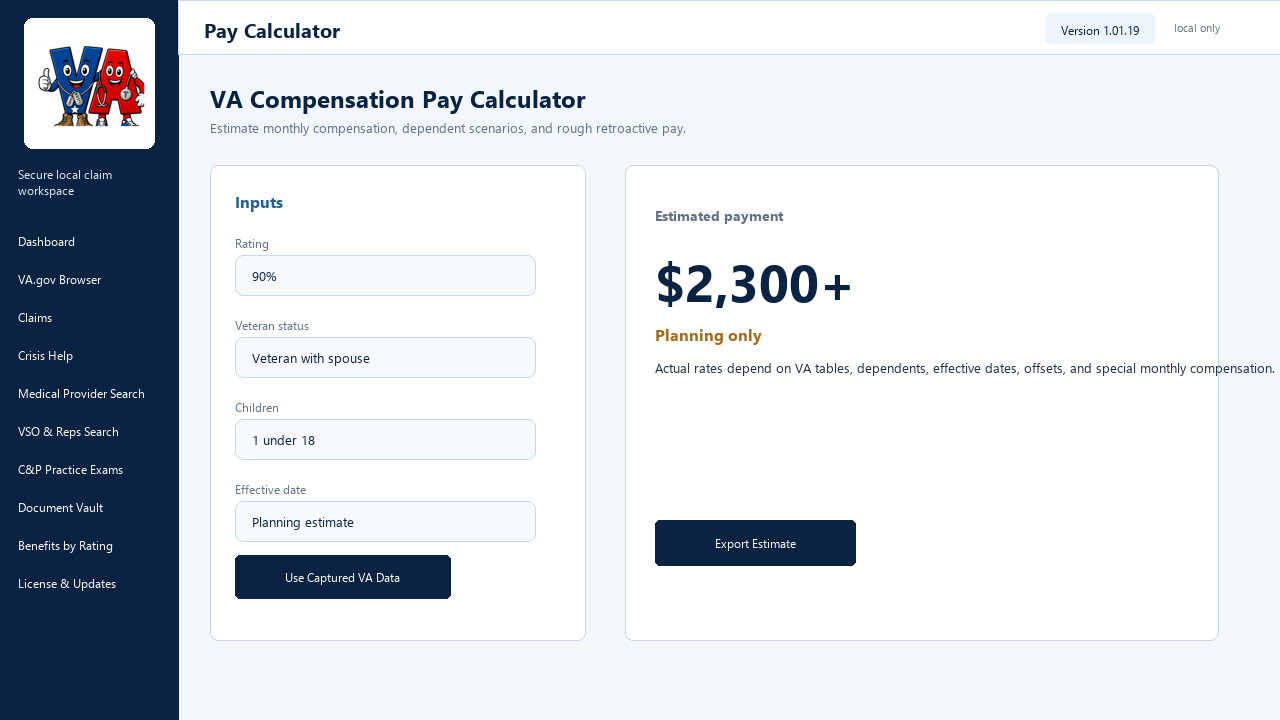
Monthly and annual estimates, dependent fields, current-vs-proposed scenarios, and rough retro math.
First run
The installer opens the app in Demo mode first. Demo mode should not block your ability to review, back up, or export your own local records.
Download from the member release card, run the installer, and verify the publisher, version, and checksum shown on VACompanion.us.
Read the terms carefully. The app is a personal organization tool and does not replace professional benefits, legal, medical, or financial advice.
Use a free website account for member downloads, forum posting, saved web tools, provider submissions, support eligibility, and desktop activation.
Open License & Updates, enter your website email and password, select the request type, and register the current machine ID.
Members can normally keep two active computers. Retire an old computer in the website member area or choose a replacement request in the desktop app.
Use Check for Updates to see whether a newer desktop release is available, open the member release page, and verify installer details before updating.
Daily workflow
Start here to see snapshot status, claim status, rating information, letters, appointments, prescriptions, and recent capture health.
Sign in through the official VA.gov authentication flow. The app does not ask for or store VA.gov, Login.gov, ID.me, or DS Logon passwords or MFA codes.
Review found, unavailable, and not-checked sources. If VA.gov does not expose a field, the app should show unavailable instead of inventing data.
Track journey status, evidence received, exams, temporary jurisdiction if visible, decisions, letters, and changed claim details captured from your account.
Use captured ratings in VA math, bilateral-factor checks, what-if next-tier planning, compensation estimates, SMC planning estimates, and rough retro estimates.
Store VA letters, claim files, proof-of-service cards, Blue Button downloads, evidence, personal notes, generated statements, and appointment records locally.
Use the DBQ knowledge base, guided exam modules, practice answers, examiner worksheet views, and evidence tips to prepare more clearly.
Plan applications, provider calls, prescriptions, EOB review, CITI options, birth and delivery care, and CHAMPVA packet exports.
Draft truthful personal statements, buddy letters, family impact notes, symptom journals, timelines, nexus-letter requests, and C&P prep notes.
Create focused exports for a VSO, accredited representative, doctor, C&P exam, CHAMPVA application, personal backup, or complete working folder.
Use About & Help for quick start material, product sheet, bug/feature emails, support recipient configuration, and diagnostic ZIP export.
Review generated text and diagnostic packages before sending. Do not include SSNs, VA claim numbers, medical details, or private data unless you intend to share them.
Security boundaries
Use the website for shared tools, public guides, provider leads, forms, practice exams, chat rooms, account registration, saved web calculator scenarios, and member download access.
Use the desktop app when you want a private Windows workspace that can gather read-only VA.gov snapshots from your own signed-in session, apply your actual rating data to calculators, organize evidence locally, and prepare focused packets.
VA.gov credentials, MFA codes, cookies, claim snapshots, uploaded vault documents, or the desktop local database.
VA.gov credentials, documents, claim snapshots, cookies, tokens, or vault data during update checks or member activation.
Website login, machine ID, device label, request type, and old machine ID if replacing a computer.
The installer is served through a signed-in member endpoint, not a public raw MSI or ZIP link.
Support
VA Companion is an individual project by James Brown, a service-connected disabled Marine Corps veteran. Support is never required for website membership, desktop licensing, updates, or access to tools.
Support helps offset the real cost to develop, host, maintain, update, and improve the project for veterans and dependents.